Decorating your home with artificial intelligence is more affordable than you might think. Modern apps use AI to transform their environments in seconds, suggesting colors, furniture and styles tailored to your tastes.
This practical guide takes you through the complete journey of using AI technology to redesign your home.You will learn from the first step of installing an app to applying the smart suggestions in your real rooms, with unique strategies that work in practice.
How an AI Decoration App Works
Artificial intelligence for decoration analyzes images of your space and identifies dimensions, current colors, natural lighting and architectural style. The algorithm processes this information in milliseconds and offers suggestions for furniture, color palettes and arrangement of objects that harmonize with the environment. You do not need to be a designer to understand the recommendations, as AI explains each change in simple and accessible language.
The process uses trained neural networks with millions of photos of professional interiors and real environments.When you upload a photo of your room or room, the system compares characteristics of your space with similar projects already cataloged. Thus, the suggestions you receive are not generic, but based on patterns that actually work in spaces with proportions and characteristics similar to yours.
The technology also learns from your preferences over time. As you approve or dismiss suggestions, the algorithm adjusts future recommendations to better match your personal taste.This ongoing feedback makes the app progressively more accurate and personalized for you.
Step 1: Choose the Right App for Your Needs
There are several AI decorating apps on the market, each with different strengths. Some focus on three-dimensional realistic visualization, while others prioritize quick color and style suggestions.You need to identify which feature is most important for your specific need: do you want to see a completely renovated room in 3D or just explore color palettes and furniture for your budget?
Applications such as Interior AI and HomeStyler allow you to create complete projects with multiple editing layers. They offer huge libraries of real furniture that you can buy directly from the platform.If your goal is to have a realistic view of how the renovation would look before investing money, these options are ideal. You upload the photo, click on different styles (scandinavian, industrial, minimalist) and see instant transformations.
Other tools like Morpholio Boards focus on visual inspiration and planning, allowing you to organize images, colors, and materials you like into a single dashboard.If you prefer to collect ideas before making big decisions, this type is more appropriate. Evaluate your habits: are you more visual and need references? Or do you prefer direct recommendations that you can apply soon?
Start by trying out free versions of two or three apps before committing money.Most offer some free analytics that show you exactly how AI will work with your real spaces.This saves you time and ensures you choose the tool that really integrates with your creative process.
Step 2: Prepare and Photograph Your Rooms with Quality
The quality of the photo you upload to the AI application determines the quality of the suggestions you will receive. A blurry image with poor lighting or improper angle confuses the algorithm and results in inaccurate recommendations.
Take the photos during the day, preferably at a time when natural light enters the room without creating extreme shadows. Avoid using flash, as this distorts colors and creates reflections that deceive the chromatic analysis algorithm. The AI identifies colors based on how the light shows them, so consistent natural lighting ensures that the suggestions are accurate in relation to the actual colors of your space. If the room is dark naturally, increase the lighting before shooting so that the application understands the environment well.
Position the camera at a height between 1.2 and 1.5 meters from the floor (approximately eye height) and capture the space at an angle that shows the entire main wall and at least two-thirds of the room. You want the AI to see the shape of the space, not just details from one corner. Take several photos from slightly different angles: a front, a corner, and one from the other side. This gives the AI multiple perspectives to better understand the volume and proportions of the environment.
Remove very personal or messy items before shooting. AI will recognize scattered clothes, dirty dishes or very specific objects and can focus on them instead of on the layout of the space. Clean and arrange the minimum necessary for the room to show its real structure.It does not need to be perfect, it should only reflect how the space is available for decoration.
Step 3: Load Images and Set Your Preference Parameters
After installing the application and having your photos ready, the upload process is simple on any platform. You click on "new room", select the image you have prepared and wait a few seconds while the AI processes the file. During this processing, the algorithm is mapping dimensions, colors, types of surfaces (wood, tile, paint) and specific characteristics of your room.
While AI works, you will be asked to answer some questions about your preferences.What is your favorite style: minimalist, classic, industrial, boho, Scandinavian, Mediterranean or other?What is your approximate budget for retirement? Do you have restrictions such as rent and not being able to make structural changes?This information adjusts the algorithm to generate realistic and achievable suggestions for you specifically. A suggestion of a five million-reais country house does not help if your budget is ten thousand reais, then AI needs these parameters.
Many apps allow you to set specific priorities: maybe you have a color that you absolutely love and want to appear in all suggestions. Or you can have a piece of furniture that is very expensive and does not want to replace, so it marks as "keep this item". AI works within these constraints, generating projects that keep their elements non-negotiable while changing everything else. The more specific you are at this stage, the more personalized and useful the suggestions will be.
Some apps also ask for information about your everyday life: do you work from home and need an office? Have small children and need the decor to be safe? Receive frequent visits?This contextual information helps AI suggest practical layouts and materials, not only beautiful. A room that looks perfect in photos but is impossible to clean with small children does not meet their real needs.
Step 4: Explore Smart Suggestions and Filter Options
After the AI processes your preferences, you will receive a range of different suggestions. Each represents a distinct approach to decorating your space, keeping what you have established as important.The app shows multiple variations of colors, furniture arrangements and decorative styles.You are not confined to a single answer, but have options to explore and compare.
Start with gallery mode, where you see thumbnails of all suggestions side by side. Note which ones you feel immediate attraction and which ones don't catch your attention. This first visual filter is important because your intuition is tuned to what works for you. Click on the suggestions you liked and see enlarged versions in more detail. Many apps allow you to "favoritize" options to save in a separate folder for later analysis.
Now use the filters offered by the application to further refine. If all your favorite suggestions coincidentally used light wood on floors and you prefer dark wood, adjust this filter and let the AI regenerate options within this new parameter. If all projects include a type of furniture that does not fit your budget, remove it from the library and ask the application to govern suggestions without including this item. You are having a conversation with the AI, continuously refining until you find the ideas that really make sense to you.
In this step, you also compare suggestions to each other to understand which elements are working. Perhaps all the suggestions you liked share a specific color palette or a type of lighting. This reveals patterns in your preferences that you might not have consciously noticed. AI is helping you better understand your own taste through the patterns it identifies.
Step 5: View Real-Time Transformations and Compare Styles
The best AI decoration apps offer real-time visualization, showing how your room would look with each suggestion. You are not only seeing a generically rendered image, but your own transformed photo, preserving features of the real environment while showing the new decor.
Use the before and after tool to slide between your current room and the decorated version. This immediately makes clear what the impact of the change is. You notice things that you would not see just by looking at the decorated image in isolation: how the new color changes the perceived luminosity of the space, how a new furniture changes the flow of movement through the room, how the decoration changes the sense of proportion of the room. Some applications offer this visualization in 360-degree mode, allowing you to "walk" through the virtually decorated room.
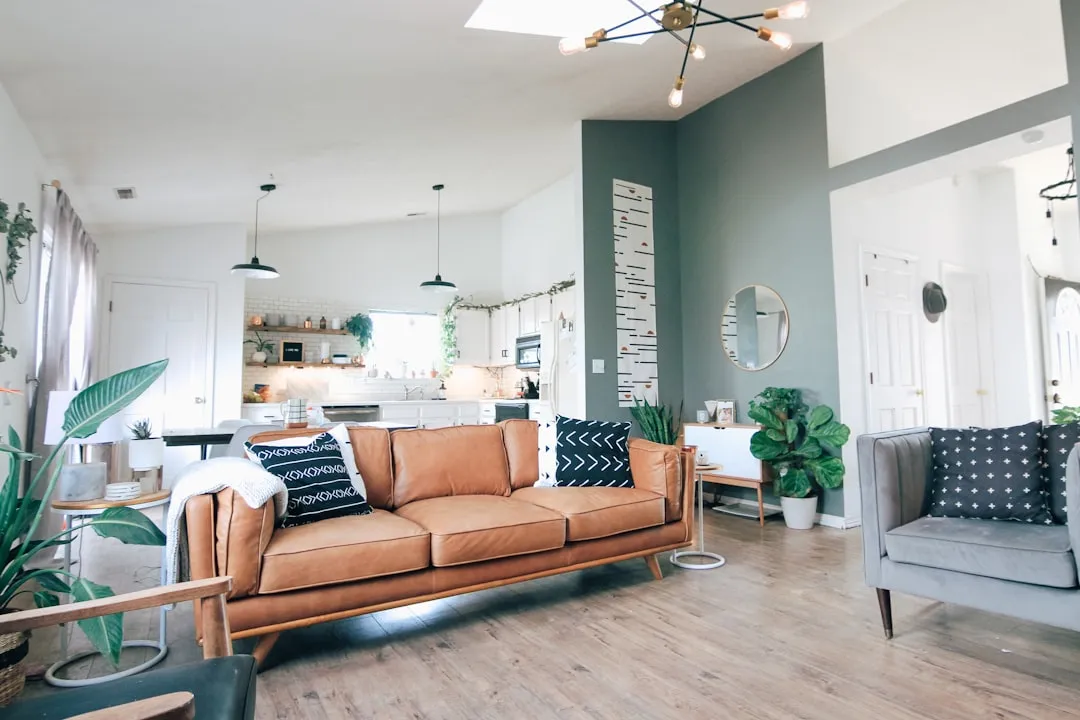
When comparing different styles between your favorite options, focus on specific elements rather than just general comparisons. Which wall color do you prefer: the lighter or darker one? Which layout is the sofa more centered and useful for your family? Which selection of decorative objects (frames, plants, cushions) can you financially enable? Breaking the analysis into specific components makes the decision clearer and based on criteria rather than a vague feel.
At this point, it is useful to involve your family or someone whose opinion you value. Share the images of your two or three favorite projects and collect feedback.It may be that a design you loved seems uncomfortable to someone who spends a lot of time in that space. Incorporating these perspectives before any investment saves money and disagreements afterwards.
Step 6: Translate AI Suggestions into Practical Purchasing Actions
You have identified an AI-generated decor project that you really love. Now comes the practical part: how to turn this digital vision into physical reality? Most of the top apps offer direct links to buy the items that appear in the project, often with discounts negotiated with retailers. This greatly simplifies the process, because you do not need to look for equivalents in random stores, have the specific items that appear in the AI project.
Create a shopping list organized from the AI project. Group items by category: paint, furniture, lighting, textiles, accessories. Assign a budget to each category based on your total budget. Maybe the AI project suggests a specific expensive luminaire, but you can find a cheaper equivalent that works equally well. The goal is to follow the AI overview while adapting specific elements to your actual budget.
Start with the biggest and most impactful changes: wall colors, large furniture, main lighting. These are the changes that really transform a space and are difficult to undo, so decide well. Buy these items first and leave the decorative accessories for later. Accessories are easy to adjust as you see how the space looks in real life, and adding plants, frames and cushions later allows you to calibrate the details.
When shopping, photograph the items when they arrive before installing. Load these photos back into the AI app to validate how the actual items look like the digital cues. Sometimes a color that looked perfect in the rendered image looks slightly different in person due to variations in camera versus human vision or between production batches. This validation allows you to make returns quickly if needed, instead of installing everything and then realizing that it doesn't match.
Step 7: Implement Changes Gradually and Adjust As Needed
Implementing all the AI suggestions at once is risky and financially cumbersome. A better approach is to implement changes in phases, starting with the most impactful and economically viable.If the AI project suggests repainting the main wall, changing the sofa and adding new curtains, start with only the paint and curtains if these two changes combined fit your quarterly budget.
After the paint dries and the curtains are installed, you live in the space for a week or two. Shoot as it was and load back into the application, asking if the space still needs the new sofa or if other changes have made more difference than expected. AI can reanalyze the modified space and suggest the next most critical steps. Sometimes a change of wall color eliminates the need to change furniture because it now matches. Sometimes you find that the change was so dramatic that you want to take a break before further investments.
This incremental approach also saves you money because you learn from small changes.If you love how the room looked after just the painting and tanners, maybe the new sofa isn't as urgent as the AI originally suggested. Or you find that you need an additional change that the AI hadn't suggested because your real-time human judgment sees something that algorithm hasn't detected in static photo analysis.
When implementing, use AI as a reference, not as a commandment. If a suggestion makes practical sense to you (color, price, availability, time), run it. If a suggestion looks great in AI but impractical in real life, skip and let AI regenerate options without including that element. You are the expert in your own life; AI is just a very capable consultant offering perspectives that you alone might not generate.
Common Mistakes When Using AI Decorating Apps
A frequent mistake is to upload photos of poor quality hoping that AI will compensate. Artificial intelligence only works with what it receives: a dark and blurry photo generates confusing suggestions. If you spend ten minutes shooting well, you save hours later refining bad suggestions that were based on bad data. Invest in the initial photograph and you will see dramatically difference in results.
Another common mistake is not being honest in the preferences you provide to the application. If you say you prefer classic style but brand that wants minimalism too, or if I lied about your budget because you want to see expensive ideas even if you can not implement them, AI is confused. It generates suggestions that try to be everything, that end up being nothing. Be clear and consistent about your real parameters, including your actual budget, not the budget you would like to have.
Many users also make the mistake of completely ignoring AI and ignoring suggestions that come out of their comfort zone. Sometimes AI suggests a color or combination that you would never have considered, but that objectively works based on established design principles.Be open to experimenting with ideas that AI offers, even if they are not your immediate inclination.Many people discover new styles that they love through AI suggestions that they initially found strange.
Finally, avoid trying to implement every detail of an AI project when you have different budget reality. AI can suggest authentic Persian rugs, but you have budget for the synthetic equivalent. Accept realistic approximations of project elements rather than abandoning the entire project because it cannot reproduce every detail exactly.
Different Apps and Their Specific Advantages
Interior AI stands out for photorealistic rendering. When you upload a photo and choose a style, the application generates images that look like professional assemblies. You see exactly how specific furniture and colors look in your real space, which is invalid for large investment decisions. The application library constantly grows with real products that you can buy directly, making the journey from concept to direct product.
Room Planner by Chief Architect is best if you want to understand layouts and proportions. It allows you to create precise floor plans of your space, measure real dimensions, and view furniture in precise scale. If you are considering a layout redesign (change of where the sofa stands, replacement of a wall, repositioning of doors), this tool offers clarity that photo viewing does not achieve. You see numerically whether a piece of furniture fits and how much space is left, not just a visual impression.
Morpholio Boards serves different purposes: it is more of a visual inspiration and planning panel. You upload images you like, organize by colors, styles and materials, create paletassemantics. It does not generate new visions of your space, but helps you process inspiration and communicate ideas to designers or to stores when you search for products. If you are visual and learn by reference collection, this is essential.
Home Style Match and Havenly offer human designer consulting in addition to AI. You provide photos and information, AI makes initial recommendations, and a designer reviews and refines suggestions to create a final plan.If you want AI technology with human fit, these options offer the best of both worlds, although they cost more than pure AI applications.
The choice between these apps depends on what you really need: realistic rendering for purchasing decisions? Understanding layout and proportions? Organized visual inspiration? Consulting with human designer involved? The answer to these questions determines which tool offers the most value for your specific project.
Maximize Your Return on Decoration Investment with AI
The biggest value of using an AI decorating app is not just having a beautiful design, but having a beautiful design that you can really implement and that you really love.Many people spend money on decoration that doesn't work because they haven't consulted experts or processed their preferences deeply. AI forces you to be specific about what you like, and offers objective feedback on combinations that work or don't.
To maximize the return on your investment, use AI before making any major purchases. Never buy an expensive sofa or do a significant wall makeover without first seeing how these items would appear in an AI project of your space.The cost of a month of access to a good AI application is negligible compared to the cost of a sofa that you discover you do not like when it arrives, or paint that you did not expect to look so dark in reality.
Use the app iteratively over time, not just once. As your life changes, your tastes evolve, and your financial circumstance fluctuates, you can return to AI with new photos and questions. A project that is perfect for you now may not be in two years. AI helps you continually reimagine your space as you change, without the prohibitive cost of hiring a professional interior designer with every change.
Finally, understand that AI is a facilitation tool, not a magic solution. Still it requires your human judgment, your practical consideration, your knowledge of your own life.The best decoration is the one that combines intelligent suggestions with your personal instinct. Use AI to expand your options, but always filter through the lens of what really works for you.