Measuring a terrain manually is time consuming and inaccurate. Modern apps turn your smartphone into a powerful measuring tool, eliminating the need for expensive equipment and complicated processes.
You can calculate areas, perimeters and dimensions using just your mobile camera. In this practical guide, you will learn how to choose, install and use the best applications to measure terrain, from basic functionalities to advanced techniques that generate professional results.
Why Use an App to Measure Land
Traditionally, measuring a plot required hiring a professional surveyor, investing hundreds or thousands of dollars. A measurement application significantly reduces these costs and offers quick results in minutes. You gain mobility, practicality and data that can be saved and shared instantly with third parties.
Modern smartphones include GPS sensors, high-resolution cameras, and accelerometers that enable accurate calculations of distances and areas. These applications use augmented reality technology and image processing to convert visual data into reliable measurements.For residential properties, commercial real estate, or landscaping projects, this solution provides sufficient accuracy for most cases.
In addition, you avoid common human errors in manual measurements and create automatic digital records.The collected data can be exported in formats compatible with design and project management software. This makes the entire workflow more efficient and professional.
Key Features You Should Look For
Before installing any application, you need to understand what functionalities really matter to your need. Measurement accuracy is the most important criterion, but it is not the only aspect that defines the quality of good software.
The augmented reality mode allows you to view real-time measurements superimposed on the camera image. This helps you to check the accuracy before confirming the measurement and gives confidence in the process.Some applications allow you to trace virtual lines in the field and adjust them before calculating the final area.
The ability to capture multiple points and generate polygons is essential for uneven terrain. You mark each vertex of the terrain and the application automatically calculates the total area.Advanced applications allow you to export data in formats such as PDF, image or CAD compatible.
Another valuable feature is integration with GPS and maps.The application records the exact location of the land and can display the perimeter on a Google Maps map or similar. This is useful for future comparisons and to document the geographical location of the property accurately.
The possibility of measuring the height of objects is an important bonus.Some applications allow you to calculate the height of buildings, trees or other structures.This functionality depends on accurate slope sensors and well-calibrated algorithms.
Step by Step: Preparation Before Measuring
The success of the measurement depends mainly on proper preparation. You can not simply open the application and start measuring without considering technical and environmental factors that influence accuracy.Every detail matters in this process.
First, you must calibrate the GPS of your smartphone. Open the native map application and leave it active for a few minutes before starting the measurement of the terrain. This ensures that the GPS signal is stable and that the location is recorded with maximum accuracy.In urban areas with many high buildings, the signal can be interfered with, so seek a position with clear visibility of the sky.
Make sure the measurement app is up to date. Developers fix bugs and improve algorithms constantly, so an outdated version may offer less accurate results. Go to the app store and confirm that there are updates available before you start.
You should also clean the camera lens of your mobile phone.Dust or smudges significantly reduce the quality of the captured image and affect the measurement calculations. Use a dry, soft cloth to wipe the lens before starting any work.
Choose the best time of day to measure the terrain.Early morning or late afternoon offer more stable natural lighting and less dramatic shadows. Avoid peak sun hours (midday) when there is too much contrast and deep shadows that confuse the application's image processing algorithm.
Finally, have a traditional measuring tape or measuring tape on hand. Use it as a reference to validate the accuracy of the application during your first measurement. This establishes confidence in the results and helps you understand the error margins of the software.
Initial Installation and Configuration
The process of installing an app to measure terrain is simple, but the correct setting determines the quality of the results. You will start by choosing between iOS and Android platforms, as popular apps are available on both. Go to the app store of your device and search for the name of the app you selected.
After installing, you will be asked to grant permissions.The application needs to access the camera, GPS, compass and in some cases the storage of the device. Grant all the requested permissions, as each contributes to the accuracy of measurements. Without access to GPS, for example, the application can not record the location of the terrain correctly.
The first time you open the app, there is usually a tutorial or welcome guide. Take a few minutes to learn the basic functionalities and controls.Many apps offer a demo mode that allows you to practice in a controlled environment before working on a real terrain.
Access the application settings and adjust preferences such as unit of measurement (meters or feet), GPS accuracy and camera sensitivity. You can set whether you prefer to work in square meters or acres depending on the size of the terrain. These custom settings ensure that the application delivers results in the format you expect.
Some applications allow manual calibration of the camera or depth sensor. If this option is available, use it to improve the specific accuracy of your device. The process often involves pointing at a known object at a specific distance and confirming the reading.
Step-by-Step Measurement: Practical Technique
Now that the application is installed and configured, it is time to learn the correct measurement technique.The process varies slightly between different applications, but the fundamental principles are similar. You will follow a structured method that ensures consistent and reliable results.
Start by positioning yourself at a clear reference point near the terrain you want to measure. The app usually provides an on-screen target for you to align. Point the camera to the location where you want to start measuring, keeping the device in a stable position.Some apps allow you to use a stand or tripod to improve stability and accuracy.
To measure a simple distance, tap the camera at the starting point and then at the end point. The application draws a virtual line between the two points and displays the distance in real time. For terrains, you usually mark multiple points around the perimeter, creating a polygon. The application automatically calculates the total area contained within these points.
You must mark the vertices of the terrain starting from a corner and systematically following around the perimeter, always in the same direction (clockwise or counterclockwise). This creates a logical path and avoids confusion or duplicate markings.Each point must correspond to a clearly visible corner of the terrain, such as a corner, fence boundary or elevation change.
When marking each point, keep the device as perpendicular as possible to the ground. Most applications compensate for automatic tilts using the accelerometer, but maintaining a consistent position reduces potential errors. If the terrain is too uneven or has elevations, you may need additional techniques that will be addressed in the advanced sections.
After marking the last point, some applications require you to confirm the polygon by closing it or tapping a calculation button. The application then processes all the collected points and displays the total area, perimeter and possibly other metrics.At this time, you can review the data, take a screenshot or export the results.
Advanced Techniques for Greater Precision
Once you have mastered the fundamentals, you can employ advanced techniques that significantly improve the accuracy of measurements. These strategies are especially useful for complex terrains, commercial properties, or when you need documented results for legal purposes.
The multi-measurement technique involves measuring the same terrain multiple times and comparing the results. If the measurements vary widely, this indicates accuracy problems that you need to solve.Small variations are normal (1% to 3%), but larger variations suggest that the application was interfered by obstacles, poor calibration or unstable GPS.
You can validate the results using a traditional parallel method.Measure a small section of the terrain manually with a conventional tape measure and compare with the result of the application.If the values are close, the application is working correctly.If they diverge significantly, recalibrate the device or try a second measurement under different conditions.
For elevated terrain or height changes, some apps offer a 3D mode that considers topography. You score points not only in X and Y coordinates, but also record height (axis Z). This processed data generates a real area that takes into account slopes, different from the traditional flat projection. This approach is essential if you are measuring a slope or mountainous terrain.
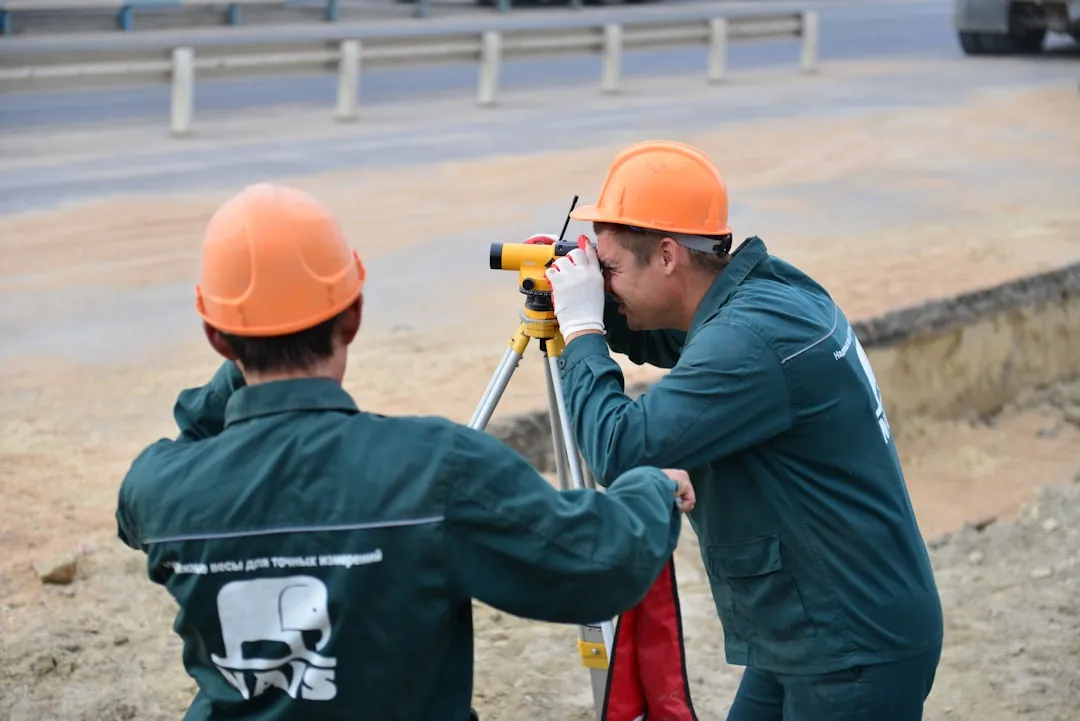
Using known landmarks improves accuracy significantly. If the terrain is near a construction, pole, or mile mark whose distance you know, mark those points also in the app.The algorithm can use this data as anchors to adjust all other measurements, reducing cumulative errors.
Shooting key terrain landmarks or features provides valuable context.Take sharp photos of the points you've marked in the app, so you have a clear visual record of what's been measured.These images help if you need to check the measurement later or explain the results to others.
Analysis and Documentation Tools
After completing the measurement, you have valuable data that needs to be analyzed and documented appropriately. The application provides the raw information, but you can process this data to generate professional reports that communicate the results clearly.
Most applications offer visualization tools that allow you to see the measured result superimposed on a map. You can zoom in, out, and rotate the visualization to confirm that the measured polygon exactly matches the actual terrain.
You can add annotations to the measurement result, such as terrain description, measurement date and its name. These metadata make the record more complete and professional. Some applications allow you to add photos or sketches that illustrate specific terrain features.
Data export is critical for integration with other systems. Modern applications allow you to export in formats such as PDF, CSV, KML or image. The PDF format is ideal for visual reports, while CSV is best for spreadsheet analysis.If you work with designers or engineers, the KML or CAD-compatible format allows you to import the data directly into professional software.
Creating a library of historical measurements helps you track changes in properties over time. Store each measurement with clear date and context.If you measure the same terrain monthly or annually, this ongoing documentation shows any variation or development that may have occurred.
Solving Common Problems
Even with correct technique, you can encounter situations that challenge application accuracy. Knowing the common causes of error and how to resolve them turns problematic results into reliable data.Most problems have simple solutions when you understand what is causing the interference.
If GPS cannot establish a stable connection, try changing locations or waiting a few minutes with the app open. Tall buildings, tunnels and dense urban areas reduce signal strength. Move to a more open location with better visibility of the sky and try again. The app usually displays a GPS signal quality indicator that gradually improves.
The blurry or shaky camera produces inaccurate measurements. Wipe the lens again, even if it looks clean, and keep the device as stable as possible when marking each point.Use a stand, support the mobile phone on a fixed object or place it on a tripod if the measurement is particularly important. Patience and stability are very much worth in measuring accuracy.
Inadequate light conditions confuse image processing algorithms.If the terrain is totally in shadow or there are intense reflections, adjust your position or measurement time.The best light is one that illuminates the terrain evenly without creating too dark shadows or super-lighted areas.
If the application returns values very different from previous measurements or your expectations, there is no correct calibration of the distance sensor. Some applications allow you to restart the calibration in the settings section. Close the application completely, wait a few seconds and reopen. Sometimes a restart solves temporary sensor problems.
Dense vegetation or visual obstacles reduce accuracy because the algorithm cannot establish clear reference points.When possible, measure from different angles or remove temporary obstacles such as branches that block clear view of the terrain.
Recommended Applications and Their Specificities
Several terrain measurement apps are available on the market, each with specific strengths and weaknesses.You should choose based on your exact needs for accuracy, functionality, and budget.Some are free with limitations, while others offer premium versions with advanced features.
Augmented reality-based applications use the smartphone camera to overlay virtual measurements to the real environment. These work well for short distances and flat terrain.The advantage is real-time visualization that offers immediate confidence in the results.The disadvantage is that the accuracy decreases for very long distances or uneven terrain where the camera cannot maintain consistent visual references.
GPS-based applications are better for large terrains because they use satellite coordinates instead of visual calculations. You mark points by simply touching the map, and the application uses GPS data to calculate distances and areas.The typical accuracy is 2 to 5 meters, which is acceptable for most residential and commercial real estate. These applications work well even in low light conditions because they do not depend on the camera.
Hybrid applications combine both techniques to optimize accuracy.They use GPS as a basis but refine calculations with camera data when available. This approach offers the best of both worlds, but requires more sophisticated processing and can be more demanding with the device battery.
CAD-integrated applications allow you to export data directly to professional design and engineering software.If you work with architects or engineers, this functionality saves significant time from manual data entry.The measured terrain appears as a polygon that can be superimposed with plants and designs.
Practical Use Cases: When and How to Apply
You are probably considering a measurement application because it has a specific need. Different scenarios require slightly different approaches and varying levels of accuracy. Understanding which use case applies to your situation helps you choose the best tool and technique.
Whether you are evaluating a property for purchase or sale, land measurement provides data that validates the price and ad descriptions. You measure the total area, calculate square meters and document the exact dimensions.This impresses potential buyers with accurate information and demonstrates professionalism. Combine measurement with photos and visual documentation to create a compelling portfolio.
Landscaping and gardening projects require accurate measurements to calculate the amount of material needed. Whether you are planning a new garden, paving or building structures, knowing the exact area avoids wasting resources. The application allows you to view different layouts on the measured area and plan with confidence.
Cleaning and maintenance professionals use measurements to estimate service costs. The area of the site determines how long it will take for cleaning, landscaping or similar maintenance. An accurate measurement ensures fair budgets that cover your costs and time without overcharging the customer.
Municipal bodies and notaries sometimes accept measurements made with applications as supplemental documentation. Combine application data with photos, detailed descriptions, and, if possible, a traditional professional measurement to create a compelling document package. Always check with your local authority to see if the application is accepted for official purposes before relying completely on this approach.
Farmers and landowners use applications to calculate the area of lots, property divisions and land use planning. Rapid measurement allows you to divide large plots into smaller sections accurately, facilitating efficient planning and management of available resources.
Final Tips to Maximize Results
After learning the basic and advanced techniques, some simple practices ensure consistency and reliability in your measurement work.You will develop a routine that becomes second nature and produces professional results repeatedly. These habits turn the use of the application into a reliable process that you can trust.
Always start with a test measurement on a small or known terrain where you can check accuracy easily. This adjusts your confidence in the specific application and local conditions.If the test measurement shows an unexpected result, adjust your technique or settings before working on important terrains.
Document the process of each measurement with photos of the milestones, notes on the conditions (time, time, GPS quality) and the results obtained. This detailed record allows you to identify patterns if any measurement seems anomalous. Over time, you learn which conditions produce the best results in your specific context.
Keep your device's app and operating system up to date. Developers fix bugs and improve algorithms constantly. An outdated version may offer lower results than possible with the latest software.Deploy a few minutes a month to check for available updates.
Back up your data regularly, especially if you are accumulating important measurements.Some applications offer automatic cloud synchronization, while others require manual export.Losing measurement data months after it is collected is frustrating, so establish a backup system that works for you.
Invest time learning all the features of your chosen application.Many users use only basic features and are unaware of advanced capabilities that could significantly improve their results.Watch video tutorials, read the full documentation and try out different settings to discover the full potential of the tool you are using.